Legal AI · legal tech
AI for law firms, with the lawyer in charge.
Roj Bear builds legal AI that takes the routine out of casework: reading new enquiries, finding the right correspondence and documents, preparing drafts and keeping deadlines in view. The lawyer reviews and sends.
Discuss legal AI with BearYasai workspace · Fictional work permit enquiry
Follow a legal enquiry
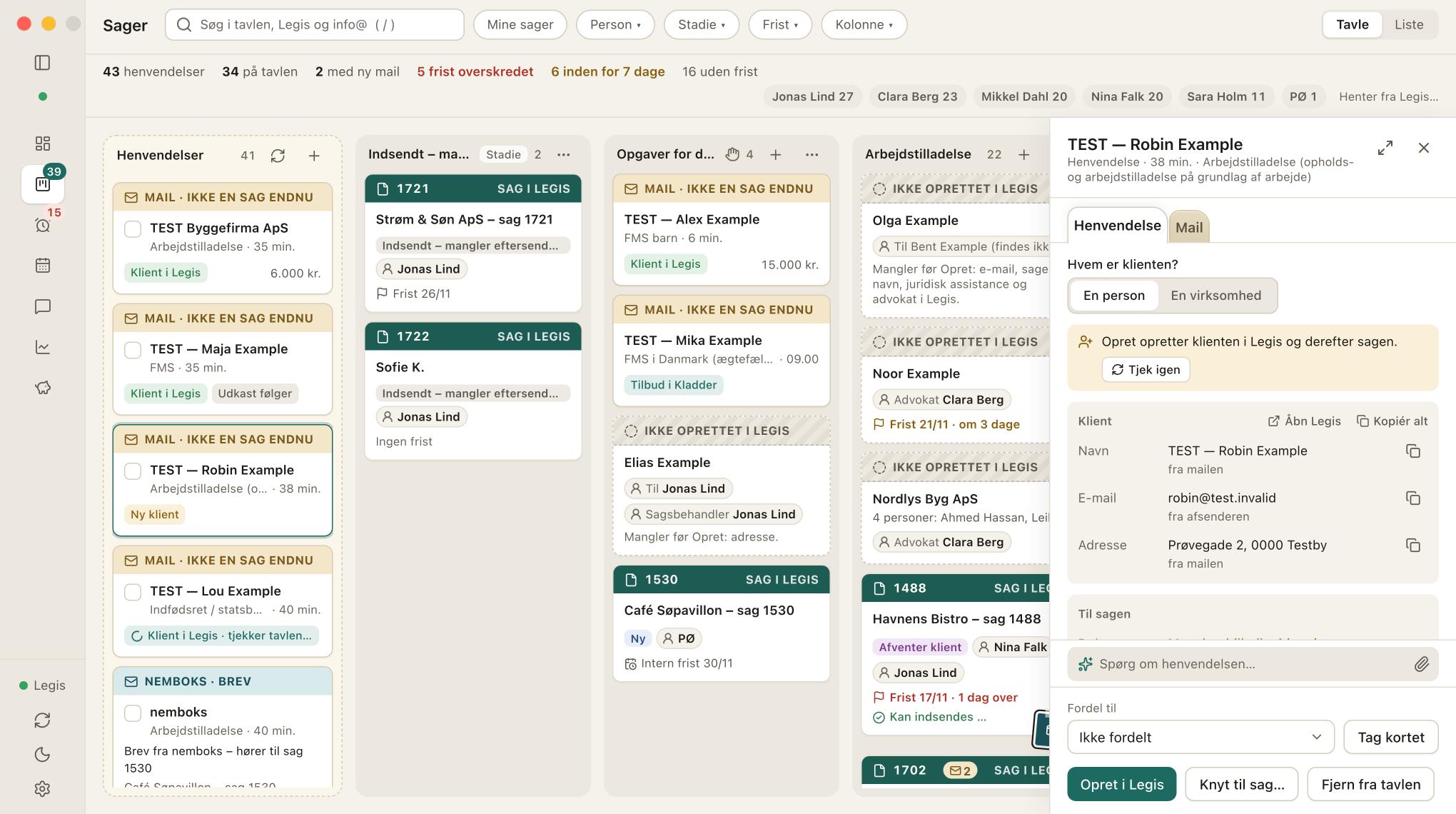
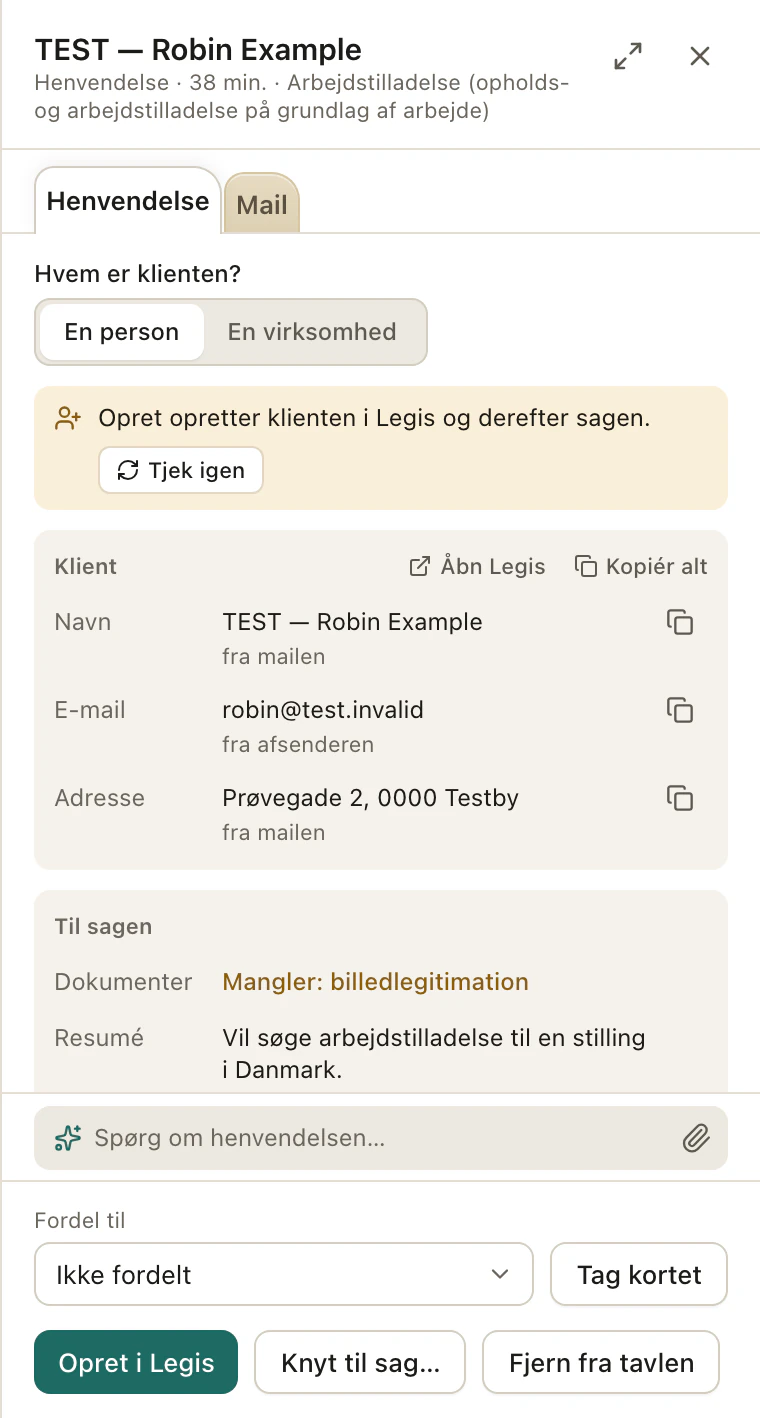
Bring the enquiry into view
Start with the message in Outlook. Yasai brings together the correspondence and documents for the team to inspect.
Check the summary against the file
Open the enquiry, check its context and decide what the firm still needs to ask the client for.
Decide how to follow up
The lawyer decides whether to ask for more information or prepare a case in Legis 365. The lawyer checks and sends any reply in Outlook.
Roj Bear is a legal tech company in Copenhagen that builds AI for law firms and in-house legal teams. Its product Yasai is an AI-native case workspace for Danish law firms, connected to Outlook, Legis 365, CVR and e-conomic. Roj Bear also builds custom legal AI for intake, correspondence, drafting and deadlines, designed so that a lawyer approves everything that leaves the firm.
Built for Danish law firms
Yasai is designed around the systems lawyers already use, and every draft waits for a person to send it.

Yasai
Case enquiries, documents, draft replies and deadlines in one workspace, connected to Outlook, Legis 365, CVR and e-conomic. Runs on Mac and Windows.
Explore YasaiYasai privacy policy
How personal data is handled when a firm uses Yasai, and the roles of the firm and Roj Bear.
Read the privacy policy
What legal AI can take on
Yasai for case handling
Work from chat: find the client’s latest email, see which documents are missing, prepare a reply in Outlook and create or link the case in Legis 365.
Intake and triage
New enquiries are read, summarised and matched with contact and company details from CVR, so the right lawyer sees a prepared case card instead of a raw email.
Correspondence and documents
AI that finds the email, attachment or page a question is about and shows the source, so every answer can be checked.
Drafting support
First drafts of replies and standard letters, prepared in Outlook or your document system for the lawyer to review, edit and send.
Deadlines and case status
A clear view of what each case is waiting for and which deadlines are coming up, drawn from the correspondence and your case system.
Custom legal AI
Agents and tools for your firm’s own workflows and systems, such as a different case management system, a knowledge base or a specialist practice area.
How we work with a firm
Start with one practice area
We pick a type of matter the firm handles often and walk through a few real, anonymised examples with the lawyers and secretaries who do the work.
Agree the boundaries
Together we decide what the AI may read, what it may draft and what only a lawyer may do. Those boundaries are built into the product.
Pilot with the team
A small group uses Yasai or the custom tool on live work, and we adjust it to how the firm actually works.
Data protection from the start
Roles, data flows and the data processing agreement are settled before live client data is used.
Who this is for
- Law firms whose lawyers spend hours each week finding emails, chasing documents and writing routine replies.
- Firms using Outlook and Legis 365 that want AI working inside those systems.
- In-house legal teams with a steady flow of similar requests from the business.
- Firms that need client data handled under a clear data processing agreement.
Questions about legal AI
What is legal AI?
Legal AI is software that uses artificial intelligence for legal work, such as reading and summarising correspondence, finding documents, drafting standard texts and tracking deadlines. Good legal AI shows its sources and leaves legal judgement and sending to the lawyer.
Does Yasai send emails to clients by itself?
No. Yasai prepares drafts in Outlook. A person at the firm reviews, edits and sends them.
Which systems does Yasai work with?
Outlook, Legis 365, CVR and e-conomic. A firm can also start without Legis 365 and save enquiries as drafts on the Yasai board.
How is client data protected?
Each firm’s data is handled under a data processing agreement that sets out the roles of the firm and Roj Bear. Yasai’s privacy policy describes what is processed and the little that reaches Roj Bear. Roj Bear is working towards ISO/IEC 27001 certification.
Can you build legal AI for systems other than Legis 365?
Yes. Custom legal AI can connect to other case management, document and knowledge systems that offer an API. We start by checking what the system allows.
Is Yasai only for Danish firms?
Today Yasai is built for Danish law firms, with Danish workflows and Danish systems such as CVR and e-conomic. Custom legal AI for firms elsewhere in Europe can be arranged.
Show us one type of matter.
Tell Bear which kind of case takes too long today and which systems your firm uses. You will see how Yasai handles it, or what a custom tool would need to do.