
Yasai
AI for law firmsWhat does this case need next?
Ask Yasai in chat. Find the client’s latest email, see which documents are missing and prepare a reply in Outlook. Your team reviews the draft and sends it to the client.
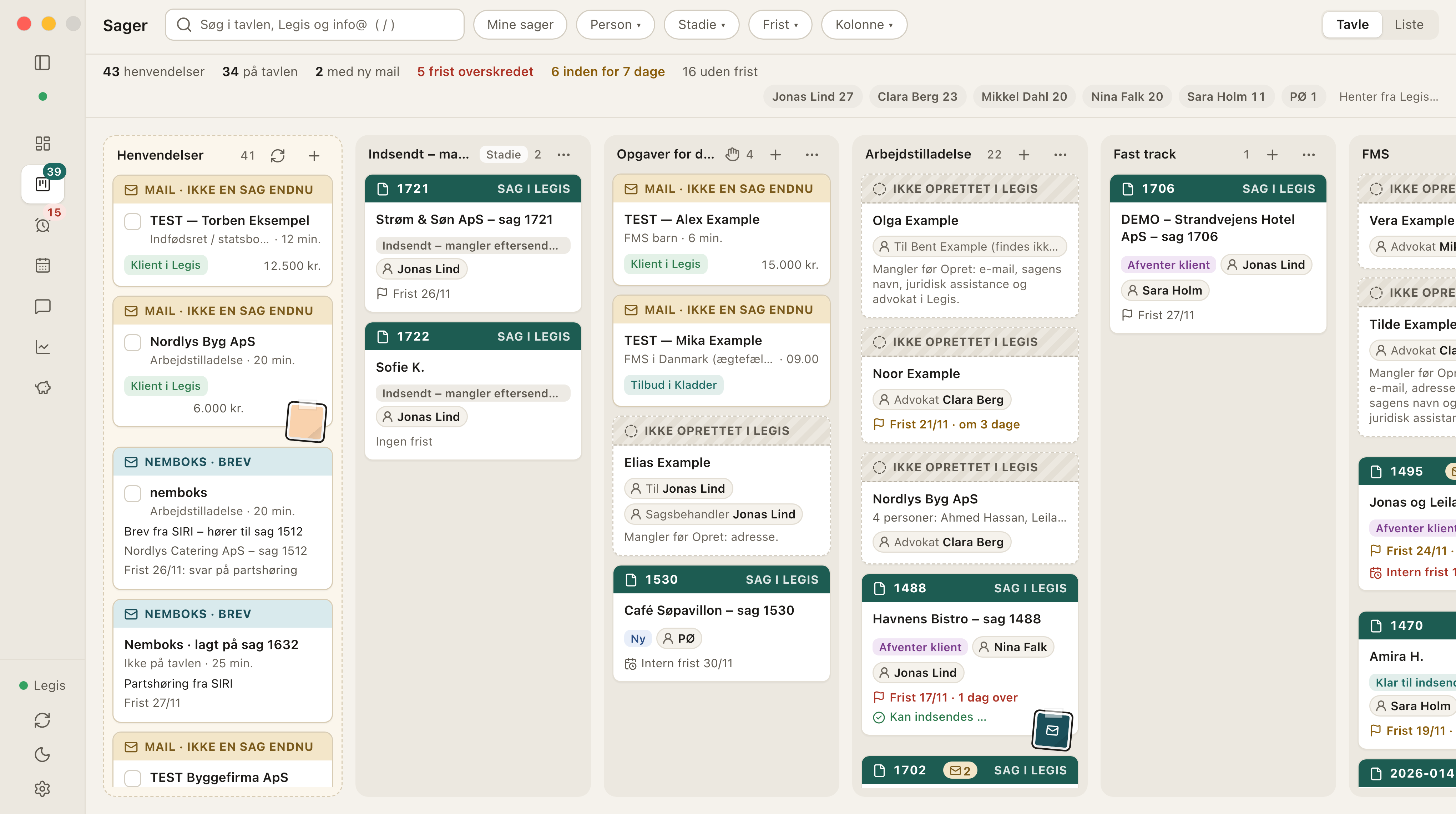
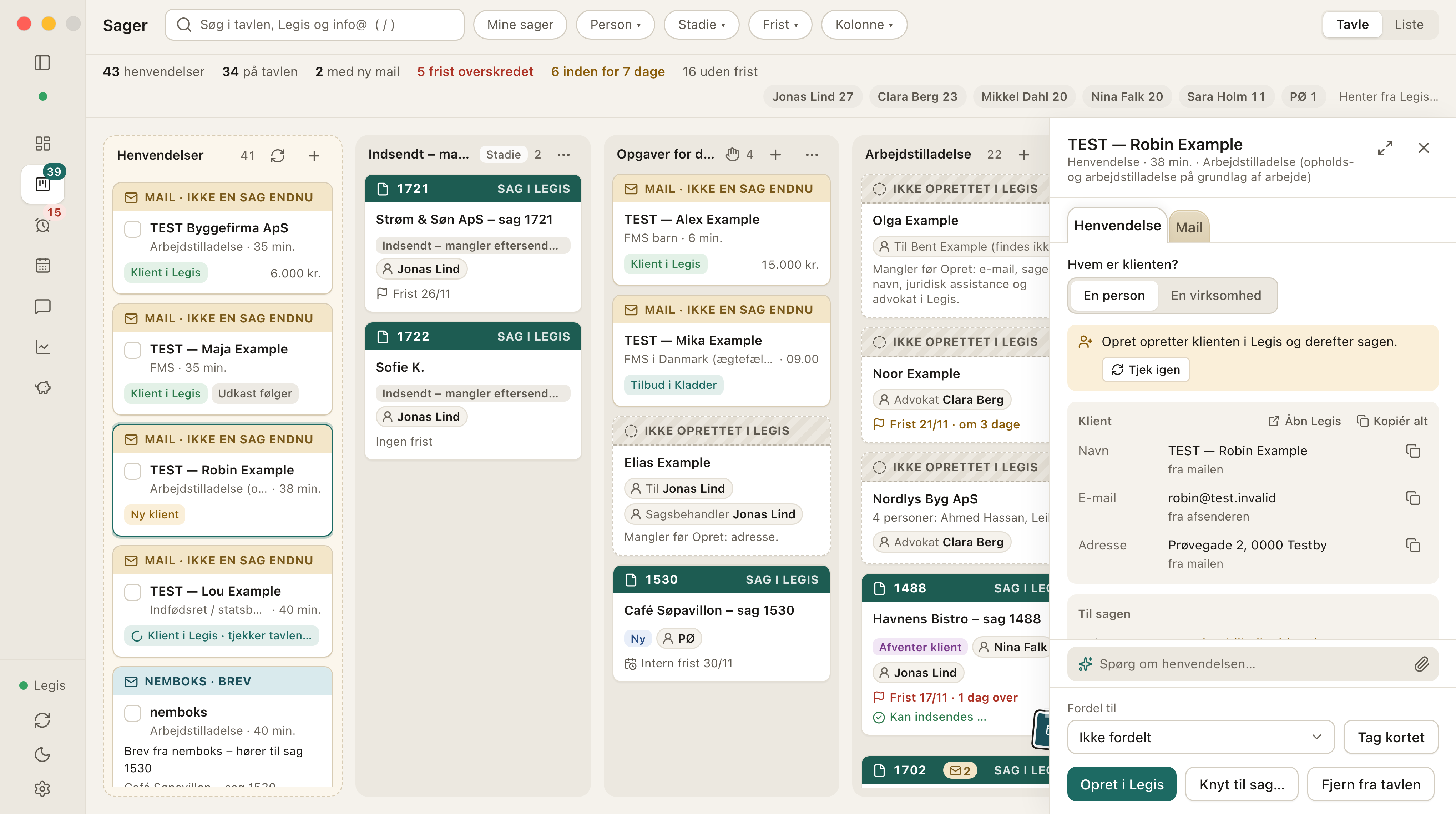
Follow one enquiry through Yasai
An employer asks your firm to help with a work permit. Explore the enquiry, try a question in chat and follow the correspondence onto the case.
Ask the case a question
Start with the employer’s email. Find the attachment, check a detail or ask Yasai to prepare the next step.
 YasaiFictional case
- You
- What has the employer asked us to do?
- Yasai
- Help with a work permit for a new engineer. The employer attached a draft contract and wants to know what to send next.
View sourceOutlook · First enquiry
“We’re hiring an engineer from abroad. Could you help with the work permit? I’ve attached the draft contract. What do you need from us?”
See where the work stands
Cases and deadlines
See the case stage, owner and upcoming deadlines on the board. Open the case to review its emails, attachments and next steps.
Documents and evidence
Review documents against a checklist on configured case types and see which requirements the available documents leave unresolved.
Statistics and finances
Filter Legis case counts by period and case type, export the analysis to Excel and review quoted, invoiced and paid amounts. Connect e-conomic for a read-only view of accounting figures.
Connect the systems your firm uses
Available views depend on how your firm sets up Yasai and which accounts it connects.
Microsoft Outlook
Bring enquiries into Yasai and review draft replies in Outlook. Matched case email can also supply documents from supported attachment links.
Legis 365
Create or link cases, and see case documents and financial figures.
CVR
Look up Danish companies by name or CVR number in Erhvervsstyrelsen’s register.
e-conomic
Read accounting figures and compare matched invoice balances.
How to connect e-conomic
On the roadmap
Standalone case management
Create and manage full case records in Yasai without a separate case system.
Signing and client checks
Signing with MitID and client screening for KYC and AML workflows.
Google Workspace
Google Workspace and Gmail connections for firms using Google.
Time and bookkeeping
Record time spent by task and case, and connect additional bookkeeping systems.
Information security and data protection
- Certification goalISO/IEC 27001:2022
- A current reference for information security management, including Amendment 1:2024. Roj Bear is working towards certification.
 EU General Data Protection Regulation (GDPR)
- Read how Yasai handles personal data, including the roles of your firm and Roj Bear, in the privacy policy.
Want to try Yasai at your firm?
Tell me which part of casework you’d like to try. I’ll show you how it works in Yasai and talk you through access for your firm.
Bear Kerrn-RizgarBear@RojBear.aiWhich computers can run Yasai?
Yasai runs on Macs with Apple silicon and on 64-bit Windows PCs with Intel or AMD processors. Contact Bear for access to the desktop app.
Can we start without Legis 365?
Yes. Save an enquiry as a draft on the Yasai board. Connect Legis 365 when you want to create a full case record or link the enquiry to an existing case.